
fylm.ai
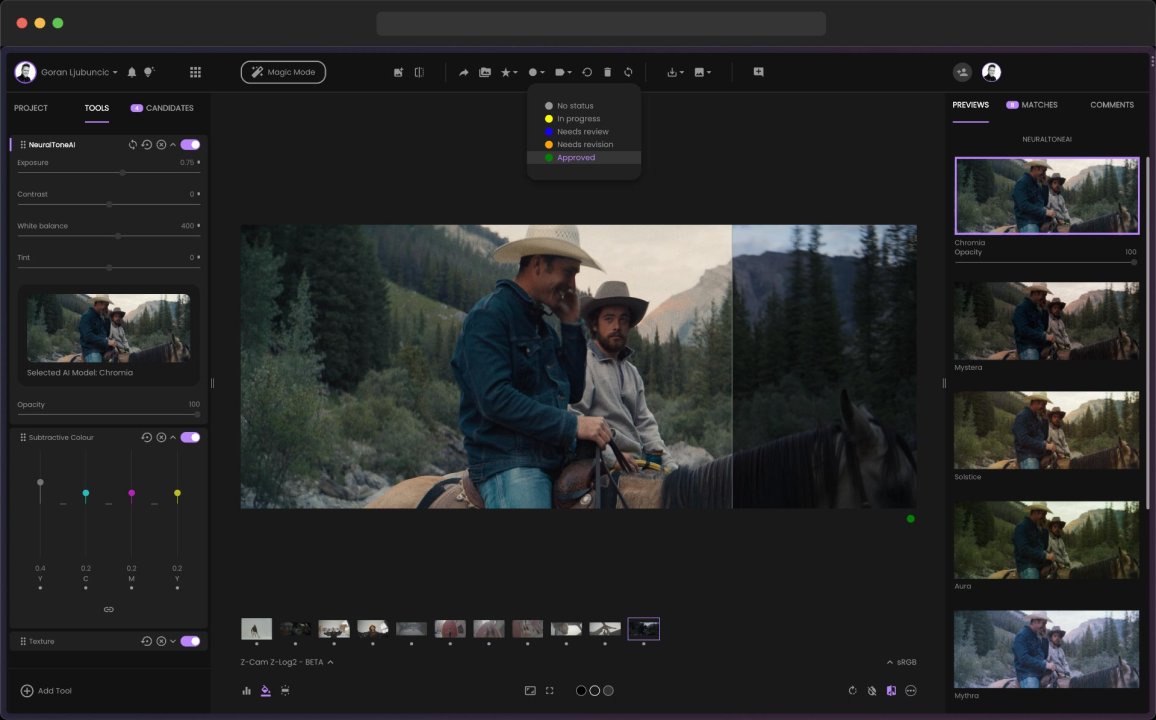
fylm.ai is a cloud browser app that uses AI to help create cinematic color grades and LUTs without the need for installing additional software.
About
fylm.ai is a cloud browser app that uses AI to help create cinematic color grades and LUTs without the need for installing additional software. You can work directly in your workflow to quickly establish visual styles, refine them with AI tools inspired by film techniques, and convert your results into LUTs and outputs suitable for finishing.
Use NeuralToneAI and NeuralFilmAI to achieve a film-like aesthetic with AI assistance. Then refine your color grade using specialized tools such as AI Color Extract, AI Color Match, AI Auto Correct, AI Exposure, AI Contrast, and AI White Balance. The editor can be used not only for RAW photos but also for other inputs, helping you achieve a consistent, color-managed look.
For video projects, fylm.ai speeds up Premiere Pro workflows. Sync your color grades back to Premiere Pro with a single click, and they will instantly appear on your timeline—no need for manual downloads, LUT management, or multiple round-trips. This keeps your look iteration closely tied to your editing process.
fylm.ai supports real-time collaboration for teams and clients using built-in commenting. Feedback appears directly alongside your color grades, making creative decisions easier to track without the need to switch tools or share links. Export options include 3D LUTs, Adobe XMP profiles, Capture One styles, and ICC profile conversions. Pricing is available, and you can start using fylm.ai for free.
You can create color grades with AI assistance and generate LUTs (including 3D LUTs), as well as export options such as Adobe XMP profiles, Capture One styles, and ICC profile conversions.
Yes, fylm.ai is designed for browser use, allowing you to create looks without downloading additional software.
You can sync your color grades back to Premiere Pro with a single click, and they will instantly appear on your Premiere Pro timeline, avoiding manual LUT downloads or round-trips.
Key tools include NeuralToneAI and NeuralFilmAI, along with AI Color Extract, AI Color Match, AI Auto Correct, AI Exposure, AI Contrast, and AI White Balance.
Yes, fylm.ai includes built-in commenting that stays with your color grades, allowing feedback to be reviewed and discussed in context without the need to share links.
Yes, you can start using fylm.ai for free and then choose from available pricing options as your workflow expands.