About
If you work on documentation, design systems, or explain processes to others, you've likely encountered Mermaid: a compact text language that transforms a few lines like A --> B into a clear diagram. It's integrated into platforms like GitHub, GitLab, Notion, Obsidian, and various documentation tools. While Mermaid is excellent, the tools that support it often fall short. Some offer only a basic editor that doesn't save your work, while others are overly complex and require a license before you can even start drawing.
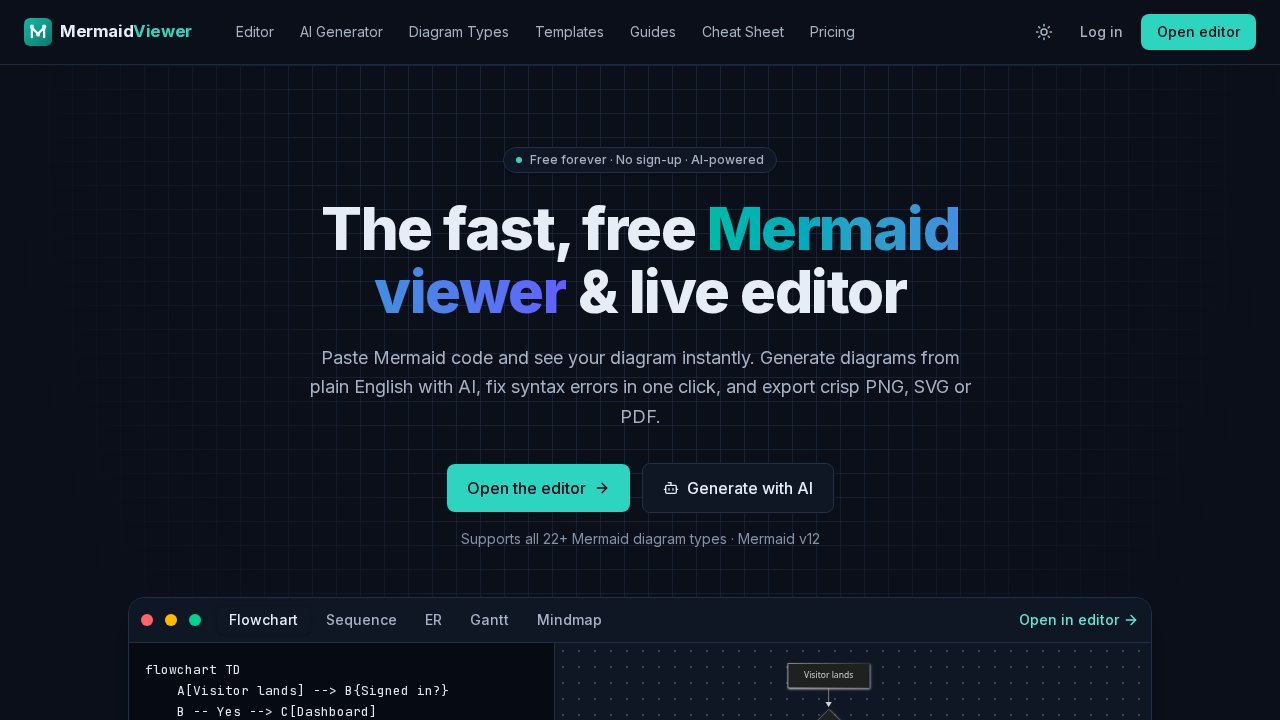
MermaidViewer strikes a balance. Open the editor, paste your code, and the diagram updates as you type. There are no login barriers, installations required, or watermarks on basic features. If something goes wrong, the error message points directly to the problematic line, making it easy to fix without searching through a long flowchart.
The feature that often attracts users is the AI. Describe what you want in plain English, such as "sequence diagram for OAuth login with refresh tokens" or "checkout flow with payment failure and retry, max 3 attempts," and MermaidViewer generates valid Mermaid code in the editor and renders it live. Since the output is Mermaid text, not an image, you can still edit every node and arrow, version control it in Git, and paste it directly into a README. You can also ask the AI to modify an existing diagram, explain a diagram you've inherited, or fix broken syntax with a single click using the parser's error correction.
MermaidViewer supports all types of Mermaid diagrams: flowcharts, sequence, class, state, entity-relationship, Gantt, pie, mindmaps, timelines, git graphs, user journeys, quadrant charts, Sankey, XY charts, requirement diagrams, C4, block, packet, kanban, architecture, radar, and treemap. If you prefer not to start from scratch, there are over 30 templates for common tasks: a login flowchart, an OAuth 2.0 sequence, an e-commerce ER schema, a CI/CD pipeline, a Kubernetes deployment, an incident-response runbook, and more. Each type has its own syntax reference with live examples, and there's a cheat sheet and guides available for quick reference on how subgraphs work.
The editor is designed for keyboard users. It includes syntax highlighting, autocomplete, find and replace, and shortcuts for save, AI assistance, and export. On mobile devices, it switches to a tabbed code/preview layout with pinch-to-zoom and full-screen preview, making it convenient when someone shares a diagram in a chat and you need to review it properly.