

meigen.ai
Price unknown
MeiGen
MeiGen is a carefully selected collection of prompts designed to accelerate your creative process using generative AI.
Converting a photo into a perler bead pattern used to involve guesswork with colors, manual bead counting, and repeatedly printing charts until the pattern looked correct.
Converting a photo into a perler bead pattern used to involve guesswork with colors, manual bead counting, and repeatedly printing charts until the pattern looked correct. Here's a straightforward process to transform an image into a printable pattern without the usual complications.
Begin with a clear subject and good contrast. Patterns become unclear with cluttered backgrounds, heavy blur, and small faces. Recommended choices include:
If possible, crop the image tightly before conversion. Less background means fewer unnecessary bead colors.
You need three things from any converter:
This is where a specialized pattern tool comes in handy. I use PixelBeads for this purpose: upload a photo, generate a pattern in the browser, and adjust it before printing. No installation required, and you can try it without signing up.
A pattern that "looks like the photo" on the screen can still be difficult to create if it includes 80 shades that are nearly identical. Prioritize:
If your tool offers color optimization, use it. Then manually adjust the contrast on the face/subject if necessary.
Never print the first exported version. Quick checks include:
A pattern editor (palette + craft mode) saves more time than any filter.
The export should include:
Print at a size that's convenient for crafting. Keep a second copy with the bead counts for shopping.
If you plan to revisit the project later, cloud saving is beneficial. Sharing a completed pattern (or a draft link) is useful for getting feedback before ironing the beads. On PixelBeads, this means accessing "My works" after Google sign-in, and "Plaza" if you wish to publish.
MeiGen is a carefully selected collection of prompts designed to accelerate your creative process using generative AI.
# What is Dessi App and how does it work? Dessi App is a platform that uses AI to create and edit images, making it easier to produce digital content.
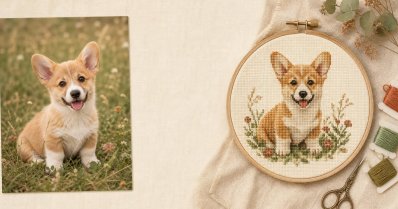
Cross Stitch Pattern Maker (StitchCraft) is a free online tool that converts your photos into printable charts corresponding to real DMC thread colors.