
In recent years, there has been a significant advancement in the field of Artificial Intelligence (AI) and Augmented Reality (AR). These technologies have become increasingly popular and have the potential to enhance virtual experiences in various fields such as gaming, education, healthcare, and...
A Program Automatically Upscales Old Soviet Films to 4K Format
139
30.07.2026
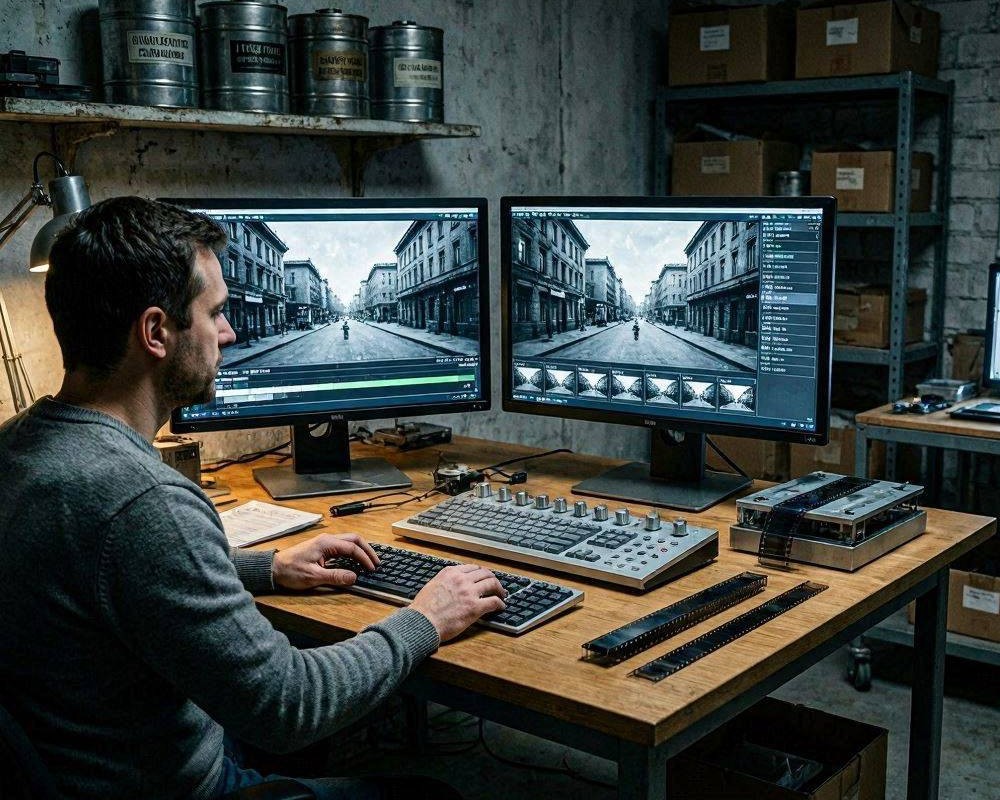
Old Soviet films carry a unique cultural and cinematic legacy, but their original technical limitations—grain, scratches, faded contrast, and inconsistent motion-make modern viewing challenging. A program that automatically upscales these titles to 4K changes the experience: the image becomes sharper, details appear more legible, and the video can be prepared for contemporary displays without needing manual frame-by-frame work.
Why 4K upscaling matters for restored classics
Upscaling is not only about “making it bigger.” When done intelligently, it helps stabilize the perceived picture quality and reveals information that may be hidden by blur and noise. For archival films, the goal is to respect the original look while improving readability-faces, costumes, subtitles, and fine textures such as fabric weave or painted backdrops.
How an automated upscaling program works
An effective tool uses a pipeline of enhancement steps designed to run unattended. Instead of relying on a single resize operation, the program analyzes the video content and applies targeted processing to improve clarity and continuity.
1) Intelligent frame analysis
To upscale consistently, the program examines each frame and detects edges, repeated structures, and temporal patterns. This reduces flicker between frames and helps maintain stable lines and facial contours during motion.
2) Denoise and degrain for cleaner detail
Old Soviet recordings often show film grain, scanning noise, and dust artifacts. Automated denoise/degrain algorithms aim to remove unwanted texture while preserving film-like structure, so the result looks less “muddied” and more cinematic.
3) Sharpening that avoids harsh artifacts
Classic footage can become brittle if sharpening is excessive. A good program applies edge enhancement carefully, keeping skin tones natural and reducing ringing or halo effects around high-contrast objects.
4) Motion-consistent upscaling
When people move, a naive upscale can smear details or create ghosting. Temporal processing strategies help the software refine frame-to-frame coherence, which is especially important for dialogue scenes, crowd shots, and hand-held camera moments.
What “4K” delivers in real viewing
After conversion to 4K, the benefits are usually noticeable in three areas:
- Sharper composition: edges of characters, set pieces, and typography become easier to read on large screens.
- Improved contrast stability: faded areas regain visibility, improving depth in shadows and highlights.
- Better subtitle readability: when present, text becomes clearer without the “blocky” look common to simple upscaling.
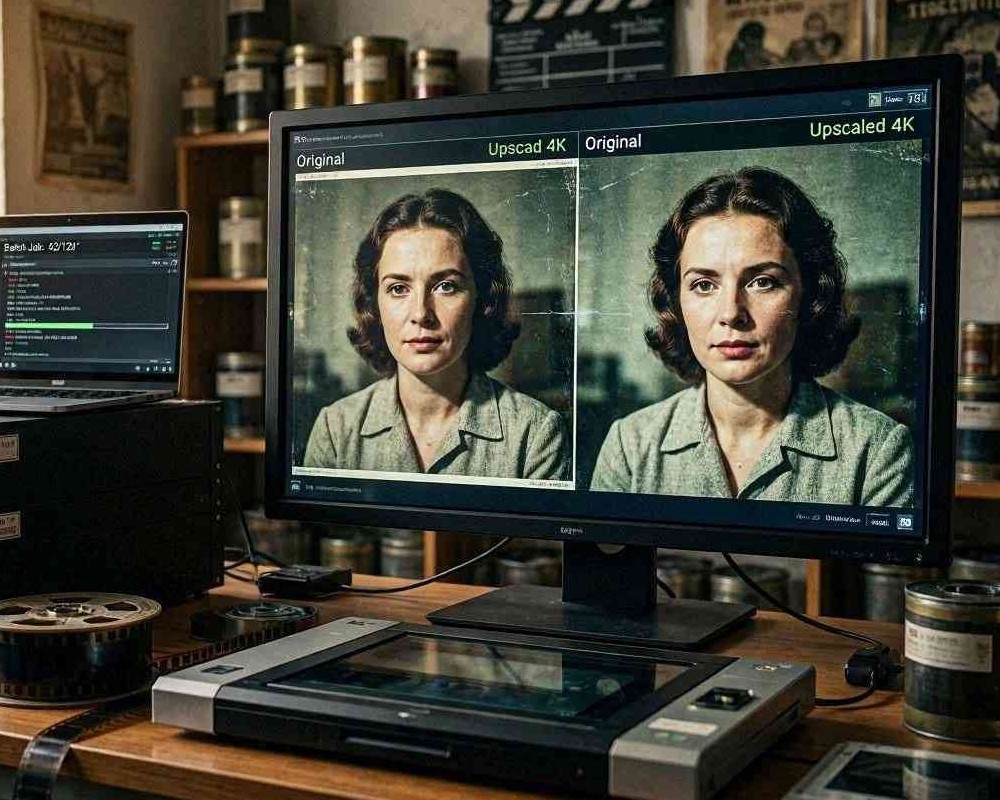
Preparing your film for the best results
Automatic does not mean careless. Small preparation steps can significantly improve output quality and reduce the chance of unexpected artifacts.
Check source quality and format
If you have multiple copies of the same film (different transfers or scans), compare them. The best input typically produces the cleanest upscale, even with strong algorithms.
Use correct aspect ratio and frame rate
Many Soviet archives exist in transfers that may include cropping, stretching, or inconsistent cadence. Confirming the aspect ratio and targeting the correct playback speed helps the program preserve motion character and avoid uneven pacing.
Choose an output codec suitable for archives
For long-term use, select a format that balances quality and storage. If your library is intended for playback on modern devices, choose a widely supported 4K codec. For archival workflows, keep a high-quality master output and generate lighter copies for everyday viewing.
Common artifacts and how to mitigate them
Even advanced systems can struggle with heavily damaged reels, severe flicker, or extensive scratches. Recognizing typical issues helps you set expectations and apply the right processing profile.
Flicker and exposure pumping
If brightness fluctuates too much, look for modes that prioritize temporal consistency. Stable results often come from stronger frame-to-frame analysis rather than standalone sharpening.
Over-smoothing of faces
Denoise settings that are too aggressive can erase natural texture. If faces look plastic, reduce noise reduction intensity or choose a “film preservation” style profile if the program offers it.
Scratches that remain visible
Some software performs scratch handling during restoration. If scratches persist, consider a dedicated restoration pass before or alongside upscaling, depending on the tool’s workflow.
Who benefits from automatic 4K restoration
This approach is valuable for historians, film enthusiasts, streaming curators, and personal archives. Instead of spending weeks processing a single title manually, you can convert a large collection more efficiently while keeping the result watchable and visually improved.
Conclusion
An automated program that upscales old Soviet films to 4K can turn faded, grainy transfers into modern-quality viewing experiences. With intelligent frame analysis, careful denoise and sharpening, and motion-consistent processing, these tools help preserve cultural heritage while making classic cinema easier to enjoy on today's large displays.