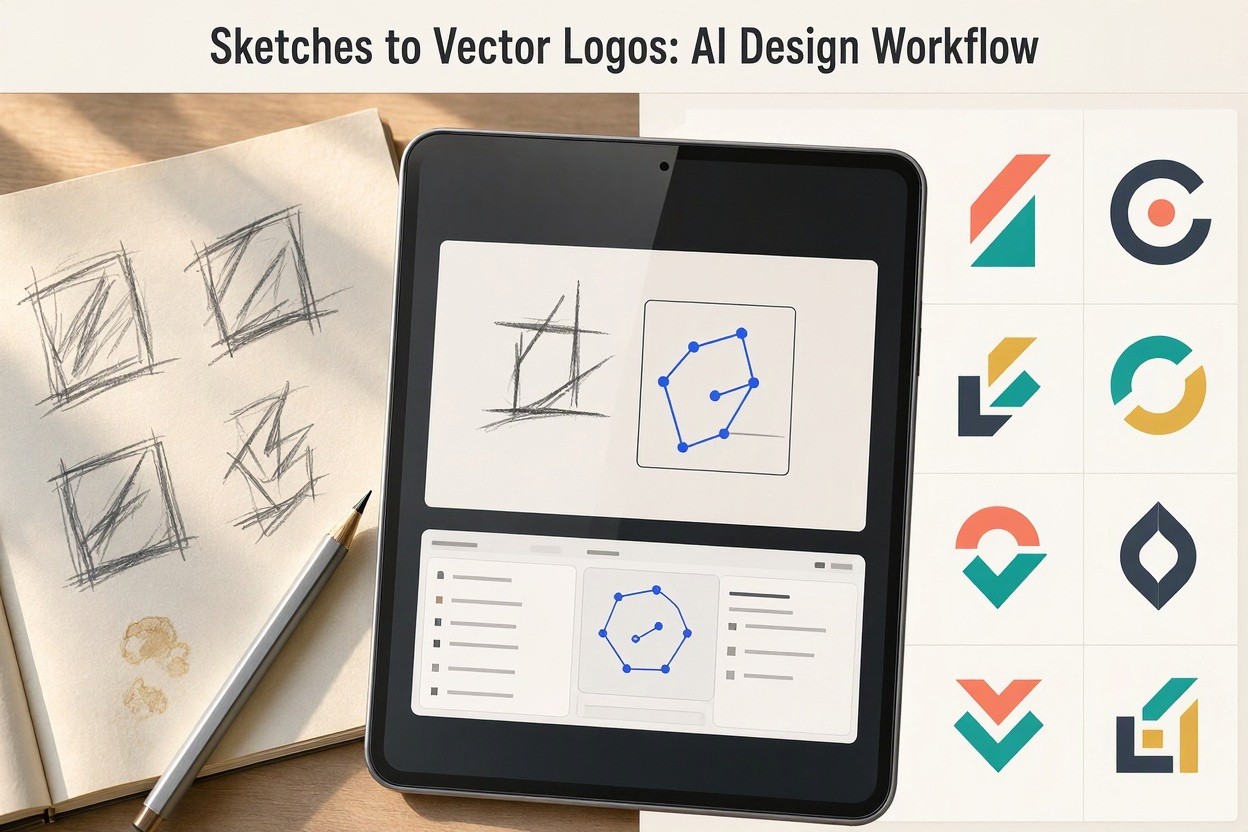
Logo design has always started with a rough idea: a pencil line, a shape in a notebook, or a quick concept drawn during a client meeting. The challenge comes later, when that loose sketch must become a precise, scalable, production-ready vector logo. A new generation of design programs is closing that gap by converting hand-drawn sketches into clean vector marks while preserving the designer’s original intent.
These tools do not simply trace an image. They analyze structure, symmetry, stroke direction, negative space, and visual balance. The result is a workflow where designers can move from concept to refinement faster, without giving up creative control. For branding studios, freelancers, and in-house marketing teams, this can mean fewer repetitive technical tasks and more time spent on strategy and visual decisions.
How Sketch-to-Vector Logo Software Works
The process usually begins with a scanned drawing or a photo of a sketch. The program identifies the main contours, separates meaningful shapes from noise, and rebuilds the artwork using vector paths. Unlike raster images, vector graphics are made from mathematical curves, which means they can be enlarged for signage or reduced for a mobile app icon without losing quality.
Image Recognition and Shape Detection
Modern logo conversion software uses image recognition to distinguish between intentional marks and accidental pencil texture. It can detect circles, geometric forms, lettering outlines, curves, and repeated motifs. Some systems also suggest corrections, such as aligning edges, smoothing irregular arcs, or adjusting proportions to create a more professional result.
Vector Path Optimization
A strong vector logo is not only visually attractive; it is technically efficient. Too many anchor points can make a file difficult to edit, while too few can distort the original sketch. Good software simplifies paths intelligently, maintaining the character of the drawing while creating clean curves suitable for Adobe Illustrator, Figma, CorelDRAW, Affinity Designer, and other vector platforms.
Why This Matters for Designers
Turning sketches into finished logos is often one of the most time-consuming parts of the branding process. Manual tracing requires patience, accuracy, and a deep understanding of Bézier curves. Automation can remove much of the mechanical work, allowing designers to evaluate more concepts in less time.
- Faster transition from idea to digital draft
- Cleaner geometry and improved scalability
- More consistent versions for client presentations
- Reduced technical barriers for early-stage concept testing
- Easier export to SVG, EPS, PDF, and other professional formats
This does not replace the designer’s judgment. A program can create a polished vector foundation, but the designer still decides whether the mark communicates the right personality, whether the spacing feels balanced, and whether the logo works across real brand applications.
Best Use Cases for Sketch-to-Logo Tools
Early Concept Development
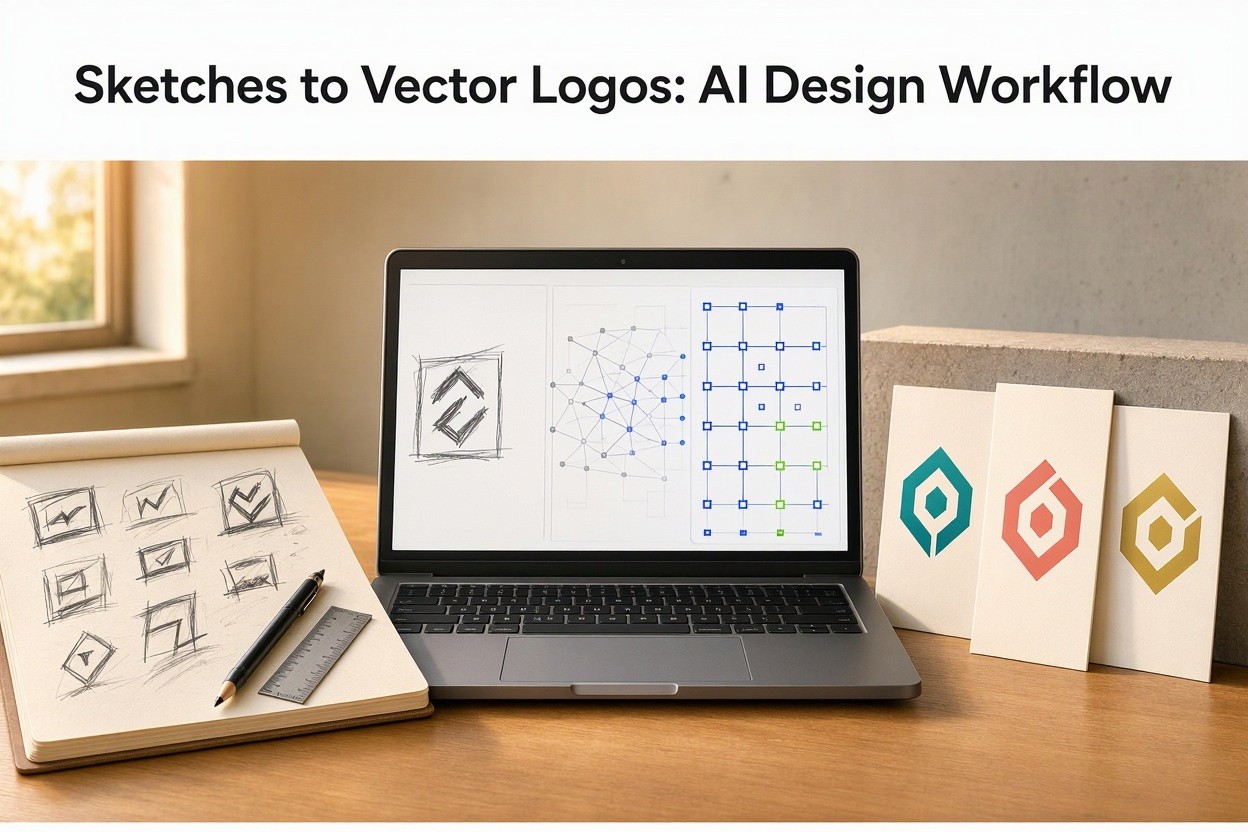
During the first stage of a branding project, speed matters. Designers may explore dozens of symbols, monograms, and abstract marks before choosing a direction. Sketch-to-vector software makes it easier to digitize several options quickly and compare them on mockups, business cards, packaging, websites, and social media profiles.
Hand-Lettered and Custom Marks
Many brands want logos that feel personal rather than generic. Hand lettering, imperfect curves, and organic forms can give a brand a unique voice. A strong conversion program helps preserve that human quality while removing unwanted roughness. The designer can then fine-tune terminals, spacing, stroke contrast, and optical alignment.
Client Collaboration
Clients often respond better to polished visuals than to raw sketches. By creating clean vector versions early, designers can present ideas clearly without overinvesting in every concept. This supports better feedback because clients can judge the direction, not the messiness of the draft.
What to Look for in a Professional Program
Not every automatic tracing tool is suitable for logo design. Professional results require control, editability, and reliable export options. When choosing a program, designers should evaluate how well it handles simple marks, complex sketches, lettering, and negative space.
- Editable vector output: The final file should contain clean, adjustable paths.
- Noise removal: The software should ignore paper texture, shadows, and accidental smudges.
- Path simplification: It should reduce unnecessary points without flattening the design.
- Format support: SVG, EPS, PDF, and AI-compatible exports are essential.
- Manual refinement tools: Designers need control over curves, corners, symmetry, and alignment.
The Future of Logo Design Workflows
Programs that turn sketches into finished vector logos represent a practical shift in design production. They are not replacing creativity; they are removing friction between imagination and execution. The best results still come from designers who understand branding, composition, typography, and audience perception.
As these tools become more accurate, the sketchbook may regain even more importance. Designers can think freely on paper, knowing that a strong idea can become a professional vector logo in minutes. The technology serves the creative process by making it faster, cleaner, and more flexible, while the designer remains responsible for the meaning behind the mark.
AIGolova creates content from a topic, an outline or an RSS feed. Your first 3,000 characters are free.